
Tasks
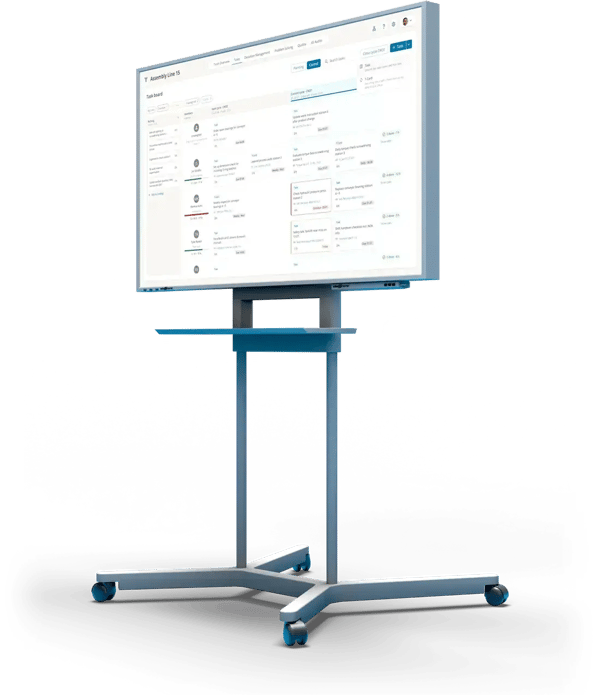
Countermeasures from deviations, tasks and T-Cards on one board per team
Cycle
Weekly cycle with backlog, hit rate and disturbance rate when the cycle closes
Capacity
Workload per person, with buffer and traffic-light colors
In short
What is countermeasure management?
Countermeasure management makes sure that agreed countermeasures actually get done: each one with an owner, a due date and a visible status. In manufacturing, countermeasures come from deviations, audits and problem solving and land with the teams as tasks, next to recurring routines and day-to-day work.
Good task management on the shop floor therefore means one place for all of a team's tasks, a fixed planning cycle, and an honest number for how well the plan held.
From deviation to completed countermeasure
Set the countermeasure
On the deviation, with an owner, a due date and an implementation plan.
More: Deviation management
Plan it into the cycle
The tasks land on the team's task board and are placed in the current or next weekly cycle (takt).
Complete and confirm
Tasks move to "Done", recurring checks are confirmed as T-Cards.
Check the effect
The KPI shows whether the countermeasure works. Only then is the deviation closed.
More: KPI management
Task management is step 4 of the loop at the team board.
- 1 · KPITarget missed?KPIs land on the board automatically and show where things go wrong.
- 2 · DeviationWhat happened?Capture it where it happens. The Pareto shows what to tackle first.
- 3 · Root causeWhy?PDCA for clear cases, A3 with Ishikawa for the tough ones.
- You are here4 · CountermeasureWho does what by when?Tasks and T-Cards with an owner and a due date.
↺ Back to 1: the KPI shows whether the countermeasure worked
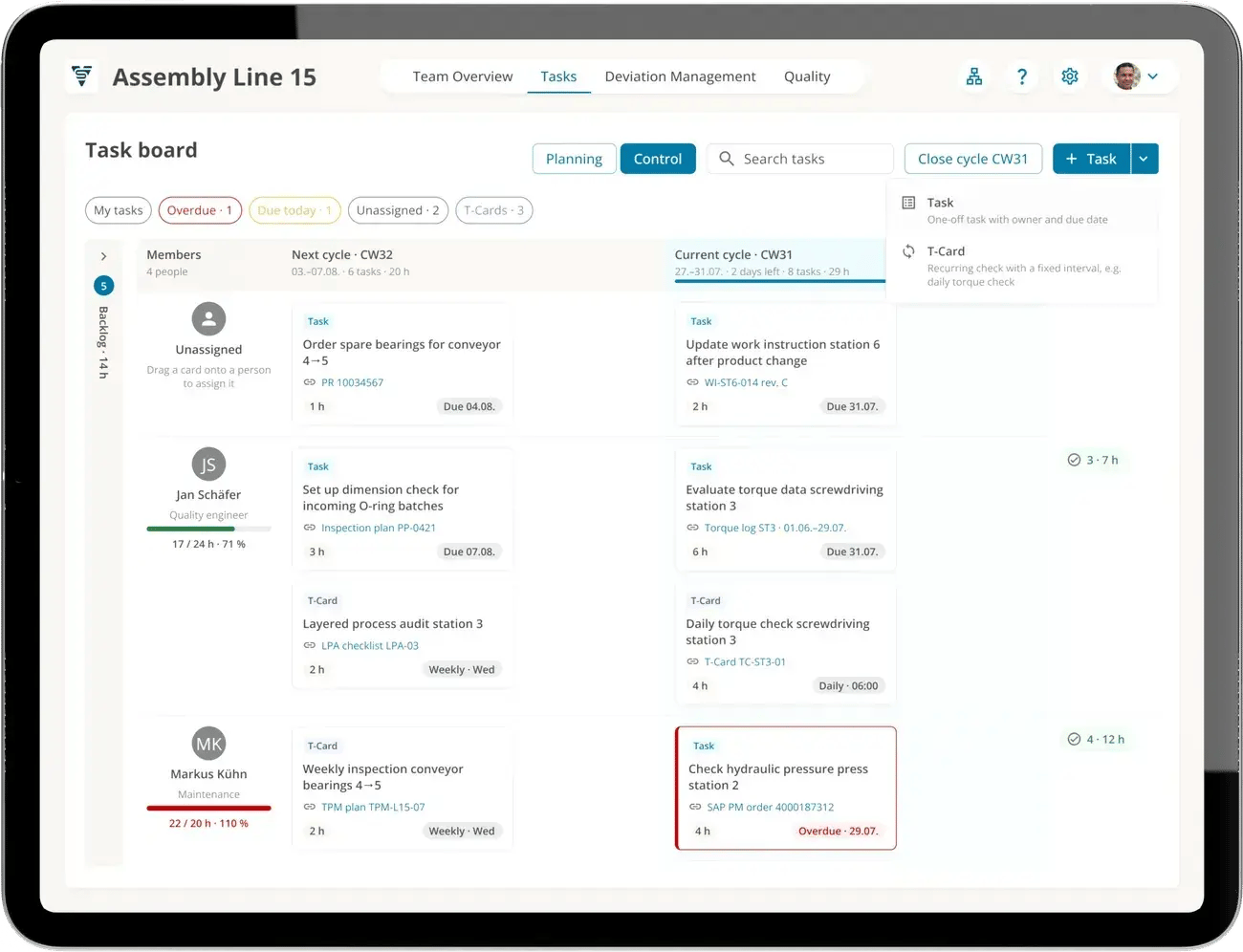
Task board of assembly line 15: cycle CW31, workload per person
Plan in cycles
Planned in cycles, not on demand
Every team has a task board: the backlog on the left, next to it the next and the current cycle, and below each person with their tasks. In the meeting, the team decides what gets done this week and who does it.
- Drag and drop tasks between weeks and people
- Workload per person against target capacity and buffer, e.g. risk of overload from 80 %
- Quick filters: my tasks, overdue, due today, unassigned
- Every task links to its source, such as a deviation, inspection plan or order
Hit rate and disturbance rate
How well does the plan hold?
When a cycle closes, ValueStreamer calculates two KPIs. They show whether the team plans realistically and how much unplanned work gets in the way, and they appear on the board like any other KPI.
Rule of thumb: plan no more than 80 % of capacity. The rest is a buffer for disruptions and follow-up questions.
80%
Hit rate
Share of the tasks planned at the start of the cycle that were completed within it. Example: 8 out of 10.
27%
Disturbance rate
Share of completed tasks that were not planned at the start of the cycle. Example: 3 out of 11. An early warning sign of ad hoc work.
T-Cards
Standards people actually live by
Recurring checks run as T-Cards: with a fixed interval, an owner and a confirmation at the board. Once a T-Card is done, ValueStreamer creates the next one automatically.
- Daily, weekly or monthly, with red-green logic on the board
- Typical: safety walk, 5S audit, quality check, shift handover
- Anything that comes up during the check is captured right away as a deviation
Process confirmation instead of paperwork
Without regular confirmation, standards quickly turn into paper. T-Cards show whether they are really being followed.
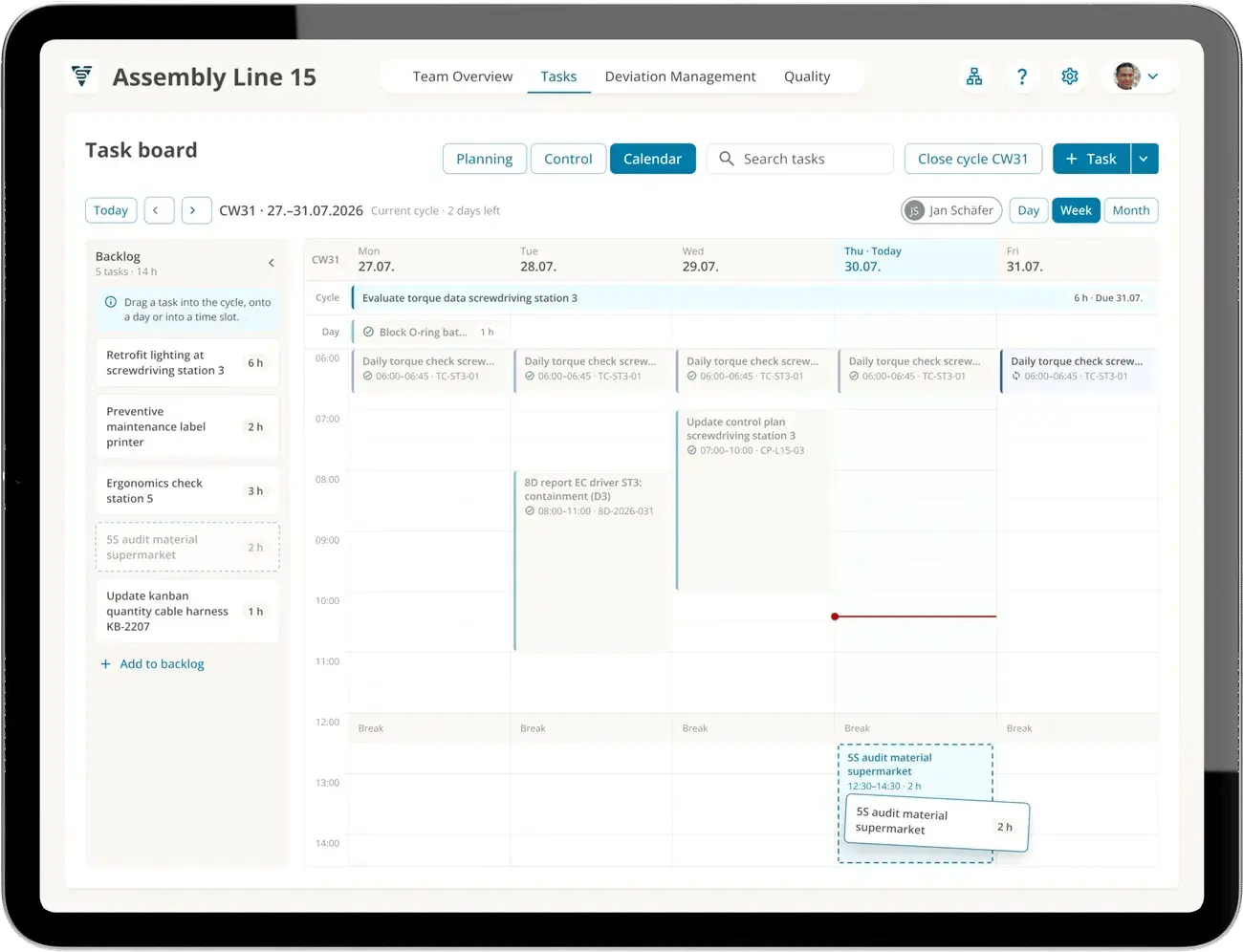
The daily torque check as a T-Card, every morning at 6:00
From the field
Countermeasures that get done
"Thanks to the simple linking of project information and functional cascade, our development work has become even more efficient despite many colleagues working from home."
Michael Hübscher, PMO, Weber Group (translated)
117,000+
deviations closed
53,000+
countermeasures completed
4,900+
teams work with ValueStreamer
4 weeks
from kickoff to go-live
Totals as of October 2026.
FAQ
Frequently asked questions
Planning, assigning and tracking all of a team's tasks in one place: countermeasures from deviations and audits, recurring checks and day-to-day work. In manufacturing, this happens in a fixed cycle, usually weekly, in the meeting at the board, with clear ownership and visible workload.
The routine that makes sure agreed countermeasures are implemented and work: each countermeasure with an owner, a due date and a status, tracked until the effectiveness check. In ValueStreamer, every countermeasure is attached to its deviation and lands as a task on the owner's task board.
With a countermeasure list per team, filtered by active, overdue and closed, and a fixed look at it in the meeting. In ValueStreamer, the list also shows which deviations still have no countermeasure, and the tasks appear in the owner's cycle.
A card for a recurring task, such as a daily check or a weekly walk. Once done, it is confirmed, traditionally by flipping it or changing its color. Digitally, it has a fixed interval, an owner and red-green logic on the board, and is created again automatically after completion.
That defined standards are checked and actively confirmed on a regular basis, instead of just being documented. Typical examples are safety walks, 5S audits, quality checks and shift handovers. The goal is not control, but confidence that the standards work.
It measures how many of the tasks planned at the start of a cycle were completed within it, as a percentage. A low value points to unrealistic planning or bottlenecks. In ValueStreamer, the hit rate is calculated automatically when the cycle closes.
The share of completed tasks that were not planned at the start of the cycle. A high disturbance rate means a lot of ad hoc work, often due to missing structure, bottlenecks or unclear priorities. ValueStreamer calculates it together with the hit rate when the cycle closes.
Every person has one home team in which all their tasks from different processes are planned and managed. That way, every task has exactly one place, and each person's workload is visible in one spot.
As a rule of thumb, no more than 80 %. The rest is a buffer for disruptions, follow-up questions and the unexpected. In ValueStreamer, you set a target capacity and a buffer per person, and the workload shows up as a traffic light on the board.
See your task board live
A 30-minute demo built around your questions: from the countermeasure on the deviation to the weekly cycle and the hit rate.