
Data source
Automatically from ERP, MES or BI via REST API, or entered at the board
Display
An SQCDP board per team with target, actual, trend and forecast
Drill-down
From the plant KPI down to the line that drives it
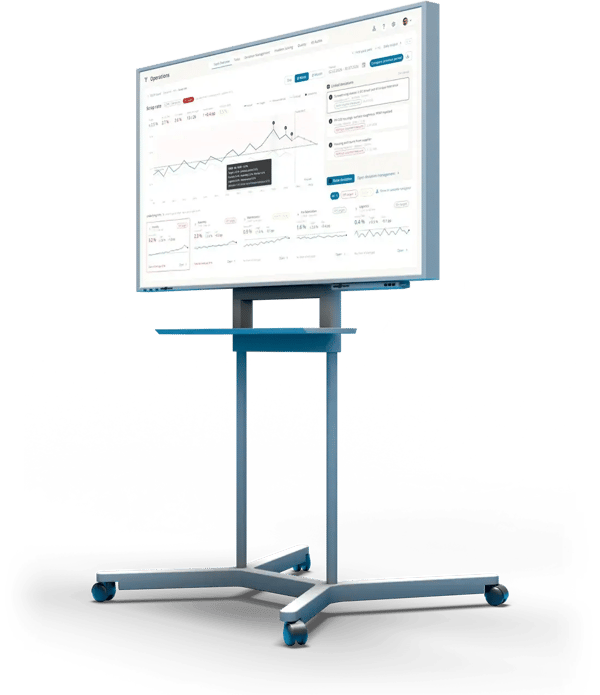
In short
What is KPI management?
KPI management means regularly capturing, displaying and reviewing key performance indicators against their targets. On the shop floor, every team sees its most important KPIs on its board, every KPI that misses its target is discussed in the daily meeting, and that discussion turns into deviations and countermeasures.
Good KPIs are few, within the team's control and defined the same way everywhere. A KPI system links them across levels: from the line to the department to the plant.
What is an SQCDP board?
An SQCDP board groups a team's KPIs into five categories. Each letter shows at a glance whether that category is on target.
Safety
Days without accidents, near misses, open safety issues
Quality
First pass yield (FPY), defect and scrap rate, customer complaints
Cost
Scrap cost, OEE, downtime
Delivery
On-time delivery, daily output, lead time
People
Attendance, skills, improvement ideas
Variants such as SQDC or SQDIP (safety, quality, delivery, inventory, productivity) follow the same principle. In ValueStreamer, you define the categories yourself.
KPI management is step 1 of the loop at the team board.
- You are here1 · KPITarget missed?KPIs land on the board automatically and show where things go wrong.
- 2 · DeviationWhat happened?Capture it where it happens. The Pareto shows what to tackle first.
- 3 · Root causeWhy?PDCA for clear cases, A3 with Ishikawa for the tough ones.
- 4 · CountermeasureWho does what by when?Tasks and T-Cards with an owner and a due date.
↺ Back to 1: the KPI shows whether the countermeasure worked
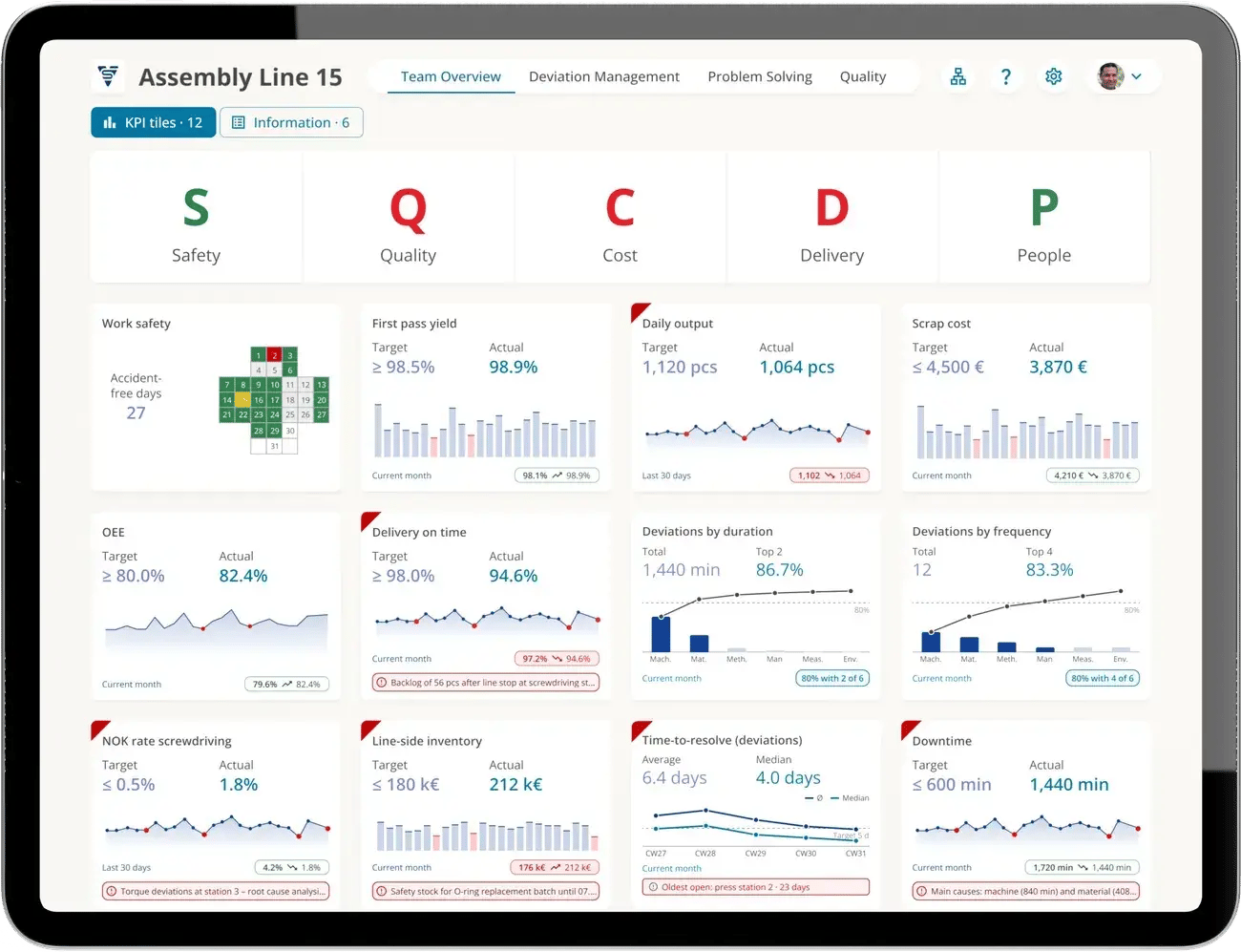
SQCDP board of assembly line 15: twelve KPIs, the ones off target marked red
SQCDP board
See what is off in one second
Every team has its own SQCDP board with the KPIs it can influence. Each tile shows target, actual and trend. A red corner flags what is off target, with the linked deviation right below it.
On the large screen at the line, on a tablet or a laptop: the same board everywhere.
Drill-down
From the plant to the line
When the plant's scrap rate is above target, the detail view lists the underlying KPIs, sorted by their gap to target and showing their share of the plant gap. One click takes you a level down, all the way to the line and the deviation behind it.
- Day, week and month, compared with the previous period
- Forecast for the coming weeks as a dashed line
- Deviations marked right on the trend line
KPI in the red? Then comes the deviation.
When a KPI misses its target, ValueStreamer creates the deviation automatically, or the team logs it with one click. Go to deviation management
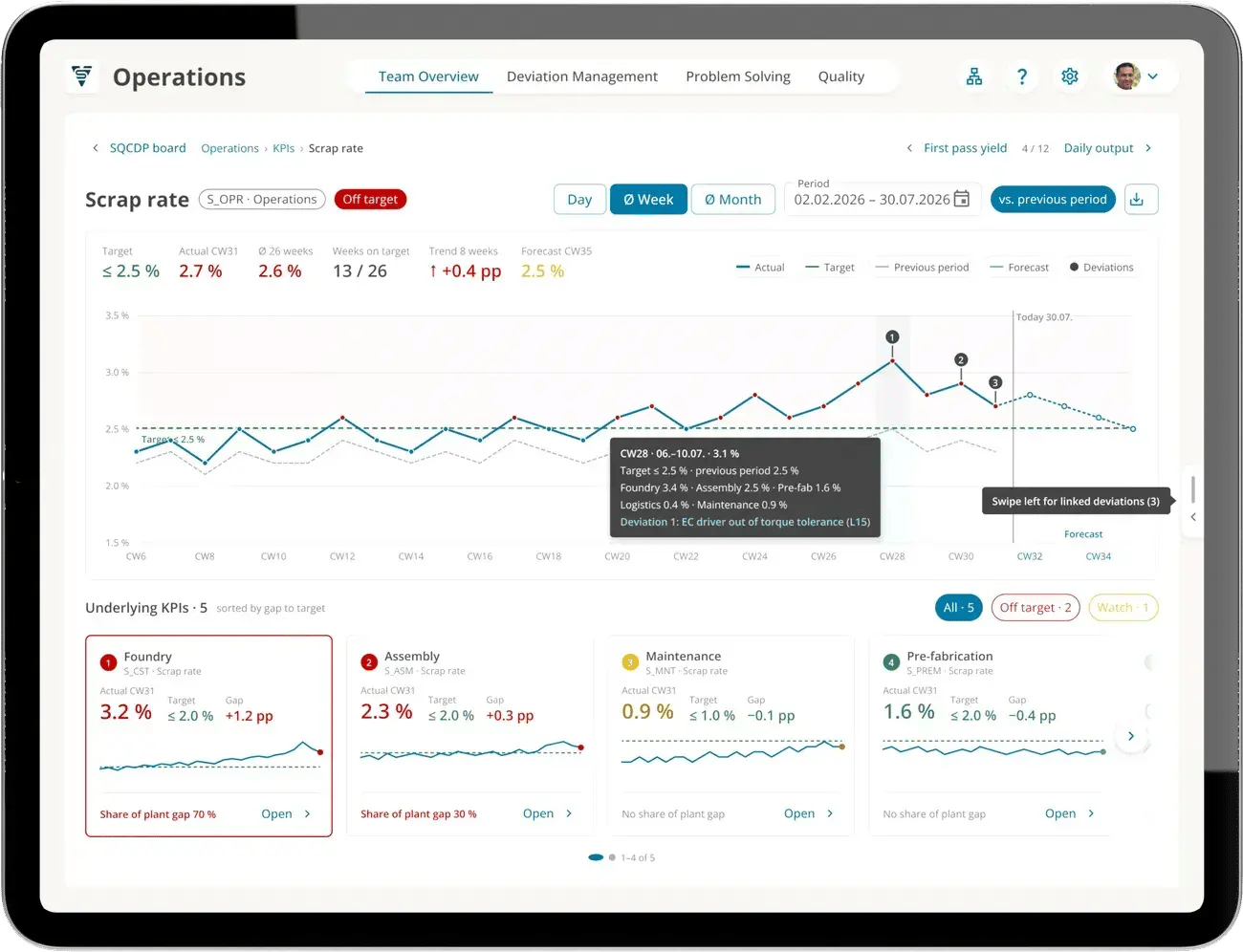
Scrap rate for operations: the foundry accounts for 70 % of the plant gap
KPI system
Defined once, the same in every team
A KPI is set up once as a template and then added to the teams. So the line calculates the same scrap rate as the plant, and values roll up automatically.
Template
Unit, entry per day, week or month, target and status rule: when does the tile turn red?
Data source
Entered at the board or pulled automatically via REST API from ERP, MES, BI or Excel. Set per KPI.
Aggregation
Values roll up along the team structure as a sum, average or product. Sub-tiles show a KPI per shift or line.
Forecast
Forecast values for upcoming periods show early whether the target will hold. Once the period arrives, the forecast is taken over as the actual value.
From lean practice
KPIs that get discussed every day
ValueStreamer grew out of lean consulting (formerly STAUFEN.AG). The structure and logic of the boards, from the line to the plant, come from shop floor management practice in many plants.
- REST API
- Hosted in the EU
- On-premises available
- ISO/IEC 27001:2022 certified
117,000+
deviations closed
53,000+
countermeasures completed
4,900+
teams work with ValueStreamer
4 weeks
from kickoff to go-live
Totals as of October 2026.
FAQ
Frequently asked questions
Regularly capturing, displaying and reviewing key performance indicators against their targets. The goal is to spot deviations early and correct them with countermeasures. In manufacturing, this happens at the team board in the daily meeting, on every level from the line to the plant.
A shop floor board that groups a team's KPIs into safety, quality, cost, delivery and people. Each category shows at a glance whether it is on target. The board drives the daily meeting: whatever is red gets discussed.
They are variants of the same principle. SQDC drops the people category. SQDIP stands for safety, quality, delivery, inventory and productivity, so inventory and productivity take the place of cost and people. QDIP is the same board without a separate safety category. The right variant depends on what an area can influence. In ValueStreamer, you define the categories yourself.
A few that the team can influence itself, usually five to twelve. Typical ones are days without accidents, first pass yield, scrap or defect rate, OEE, downtime, on-time delivery, daily output and attendance. Higher levels see the same KPIs rolled up.
A good board answers three questions quickly. After 1 second, you know where it is red. After 3 seconds, you know what happened and whether there is a countermeasure. After 10 seconds, you know who owns it, by when, and how far along it is.
You choose per KPI: automatically via REST API from ERP, MES, BI or Excel, or entered manually at the board, for example during the meeting. KPIs are defined once as templates and added to the teams, and values roll up along the team structure.
A BI dashboard shows data. An SQCDP board runs the daily meeting: every KPI off target is linked to its deviation, the countermeasure and the person responsible, across every level of the cascade. ValueStreamer can pull its values from your BI system.
Shop floor management software that shows KPIs against their targets on the team board and links deviations and countermeasures to them. ValueStreamer provides SQCDP boards per team, drill-down from the plant KPI to the line, and the cascade up to plant management, on large screens, tablets and laptops.
Implementation takes about 4 weeks. ValueStreamer runs in the browser and is hosted in the EU (Azure West Europe). On-premises is available.
See your SQCDP board live
A 30-minute demo built around your questions: from the KPI in your system to the SQCDP board and the deviation behind it.