
Phases
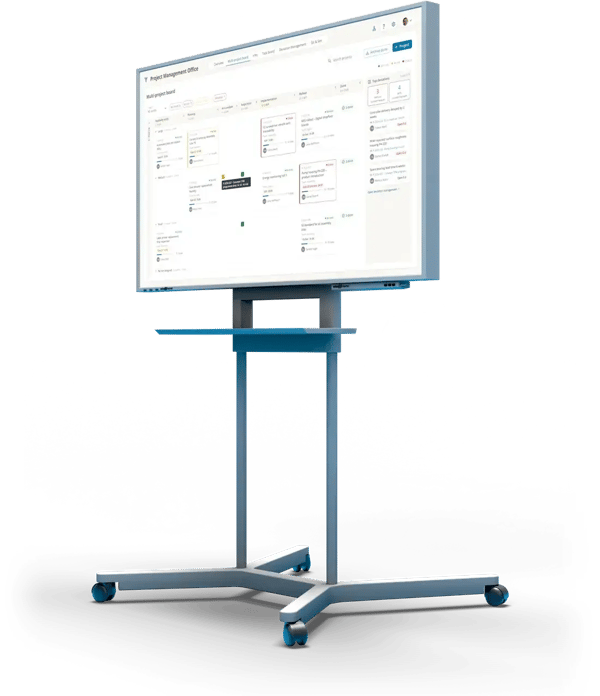
Kanban phases with WIP limits, gates and status per project
Teams
Tasks and sub-processes land on the boards of the teams doing the work
KPIs
Adherence to schedules and lead time, automatically per process board
In short
What is process management?
Process management means running workflows and projects so they stay on plan: clear phases, fixed gates, owners and a visible status. This is about business and project processes such as order fulfillment, ramp-up, product development or continuous improvement projects, not about automating machines and equipment.
Because these processes run through several teams, you need two levels: the overview of all processes and the work in the specialist teams. Connected, not maintained twice.
How a process runs on the board
Create the process
From a template, with phases, gate dates and an owner.
Assign the tasks
Tasks and sub-processes land on the task boards of the specialist teams, linked to the process card.
More: Task management
Move through the phases
Drag and drop into the next phase. WIP limits show where work is piling up.
Resolve deviations
Whatever is stuck is captured on the card as a deviation and resolved with a countermeasure.
More: Deviation management
In projects, too, the loop runs at the board.
- 1 · KPITarget missed?KPIs land on the board automatically and show where things go wrong.
- 2 · DeviationWhat happened?Capture it where it happens. The Pareto shows what to tackle first.
- 3 · Root causeWhy?PDCA for clear cases, A3 with Ishikawa for the tough ones.
- 4 · CountermeasureWho does what by when?Tasks and T-Cards with an owner and a due date.
↺ Back to 1: the KPI shows whether the countermeasure worked
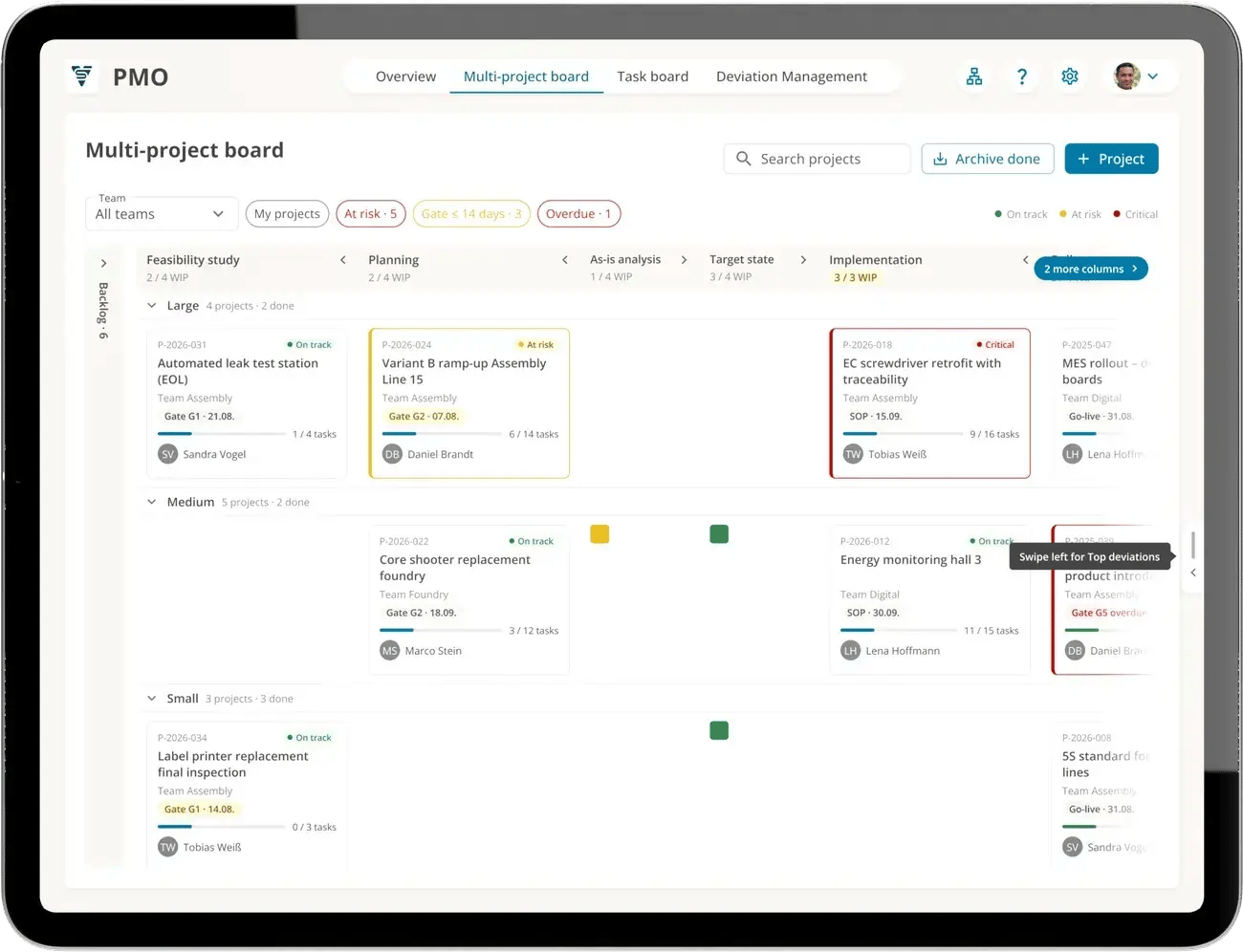
Multi-project board: projects grouped by size, each phase with a WIP limit
Multi-project board
All projects, one board
The multi-project board shows every project as a card in its phase. Every phase has a WIP limit, and every card shows its next gate, task progress and a status: on track, at risk or critical.
- Phases defined freely, such as feasibility, planning, implementation, rollout
- Quick filters: at risk, gate within 14 days, overdue, my projects
- Backlog for projects that have not started yet
- Top deviations from all projects next to the board, with and without countermeasure
Process card
From the project to the task
A card opens the process: steps with owners and due dates, sub-processes with their own phases, and the tasks the specialist teams complete. Whatever gets done there counts toward the progress here.
- Sub-processes for work packages of other teams, such as controllers from a supplier
- Tasks land on the task board of the team in charge, clearly linked
- Deviations from all sub-processes and tasks are visible on the card
Fine-tuning in the specialist team
Each team plans the tasks on its own task board, in weekly cycles. Go to task management
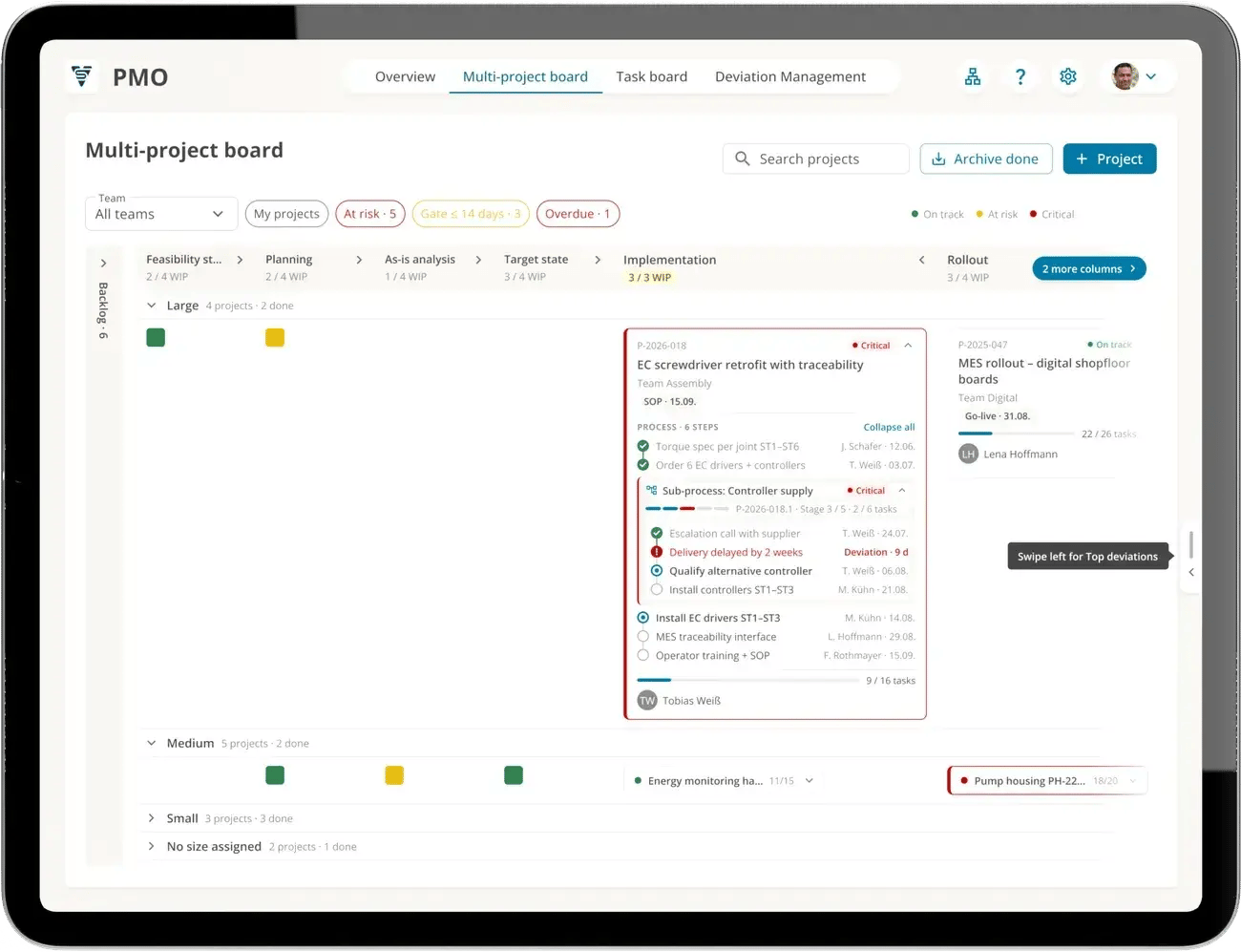
EC screwdriver retrofit: sub-process controller supply critical, delivery 2 weeks late
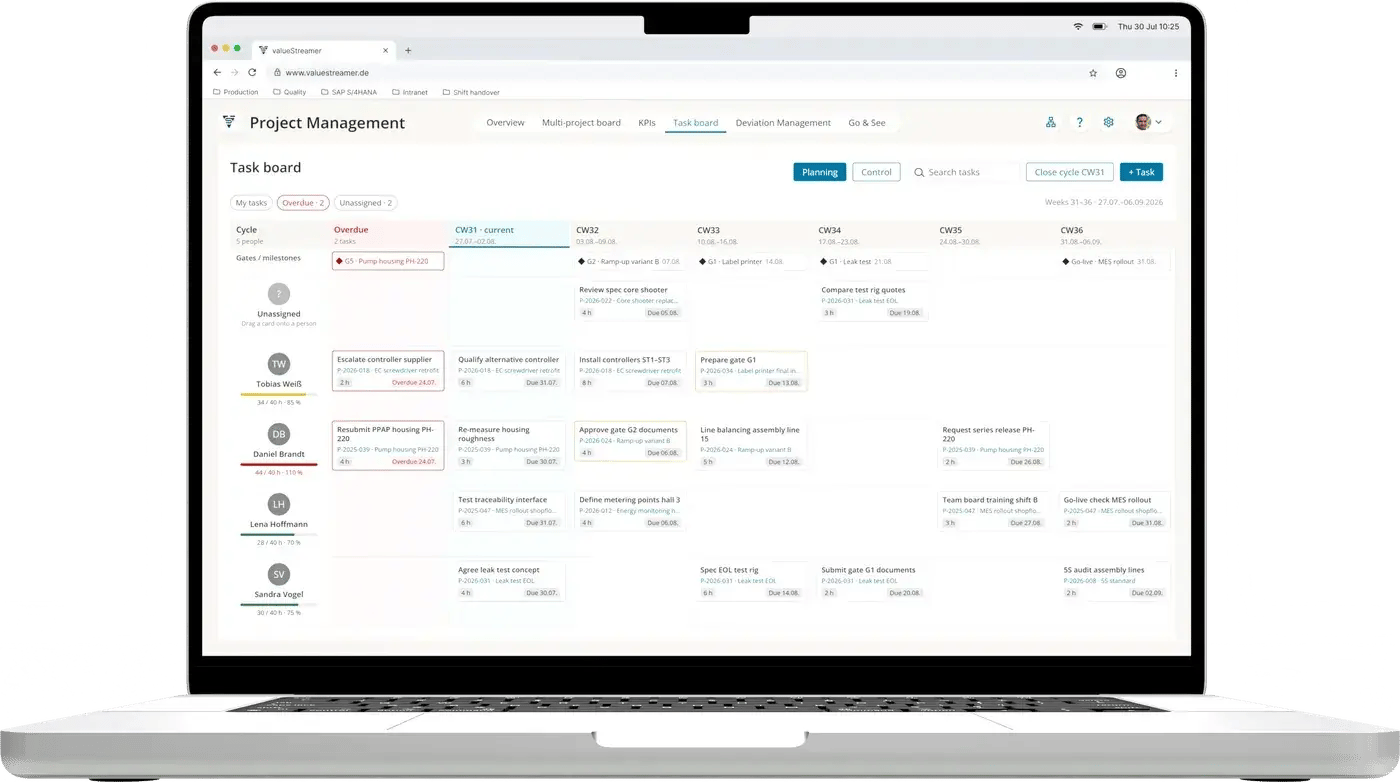
Project management task board, planning CW31 to CW36
Weekly planning
Gates in sight before it gets tight
In the planning view of the task board, the project team sees every person with their tasks from all projects, week by week. Gates and milestones are shown above, overdue work on the left. That way, you spot who is overloaded before a gate starts to slip.
- Project gates and milestones across the weeks
- Workload per person as a traffic light, e.g. risk of overload from 80 %
- Overdue tasks in a column of their own
- Every task shows its project
Standard and KPIs
Every project to a standard
Recurring workflows start from a template. That way, every ramp-up and every order follows the same pattern and stays comparable. For every process board, ValueStreamer creates two KPIs automatically.
Templates
Tasks, sub-processes and checklists per project type, for example for ramp-up or order fulfillment.
Adherence to schedules
Share of process cards completed by their planned end. Example: 9 out of 12 is 75 %.
Cumulative flow
Work in each phase over time, with lead time and throughput. Shows where work is piling up.
REST API
Processes can also be created from other systems.
From the field
Processes every level understands
"Employees and managers around the world are enthusiastic."
Joachim Ley, CEO, Ziehl-Abegg (translated)
117,000+
deviations closed
53,000+
countermeasures completed
4,900+
teams work with ValueStreamer
4 weeks
from kickoff to go-live
Totals as of October 2026.
FAQ
Frequently asked questions
Planning, monitoring and adjusting workflows so they reach their goals in time, quality and cost. It includes clear phases and owners, KPIs such as adherence to schedules or lead time, and countermeasures when a process deviates. In ValueStreamer, this means business and project processes such as order fulfillment or ramp-up, not controlling machines and equipment.
Planning and steering many parallel projects together: priorities, resources and deadlines are aligned across all projects. A multi-project board shows every project with its phase, next gate and status on one board, so bottlenecks and conflicts become visible early.
A measure that shows how well a process is running, such as lead time, adherence to schedules or work in progress per phase. Process KPIs show where action is needed and whether an improvement works. ValueStreamer automatically creates adherence to schedules and a cumulative flow diagram for every process board.
The process board runs a workflow with phases and gates, such as a project or an order. On the task board, a team plans its operational work in weekly cycles. The two are linked: tasks from a process card land on the task board of the team in charge.
The product development process covers every step from the idea for a new product through development and testing to the start of production (SOP). It is divided into phases with quality gates, where the team decides whether the project moves on to the next phase.
The core process from order entry through planning and production to delivery. It steers material and information flows across several departments, which is why a shared view of phase, due date and bottlenecks pays off.
The triangle, also called the iron triangle, describes the three targets of a project: quality or scope, cost and time. They depend on each other: change one, and you affect the others. Managing a project means keeping all three in balance.
It makes workflows more effective and efficient: clear responsibilities, fewer loops and less duplicate work, repeatable standards, and KPIs that show where things get stuck. That shortens lead times and makes results more predictable.
A company culture that puts the continuous improvement of processes at the center. Processes are systematically described, measured and improved, with the goal of higher efficiency, quality and customer satisfaction.
See your multi-project board live
A 30-minute demo built around your questions: from the project in its phase through the specialist teams' tasks to adherence to schedules.