
🔍 Contents
- What Are Forecast Values in KPIs?
- Why Use Forecasts Systematically?
- How to Capture and Convert Forecasts
- Visualization in the KPI Dashboard
- Tips for Methodical Application
- FAQ
📊 What Are Forecast Values in KPIs?
Forecast values are predicted target figures for a future period. They allow a reliable assessment of whether a target is likely to be achieved – even before the period occurs – enabling proactive control.
✨ Tip: Forecasts are not replacements for planning. They are operational projections based on current insights (e.g., extrapolation from actuals, trends, benchmarks).
🌟 Why Use Forecasts Systematically?
-
Early warning system – Detect problems before the end of a period
-
Foster accountability – Teams reflect on target achievement in advance
-
Increase process maturity – Mature organizations steer proactively, not reactively
-
Create transparency – Forecasts show what to expect, not just what has happened
📸 Screenshot: KPI with forecast section (dashed bars)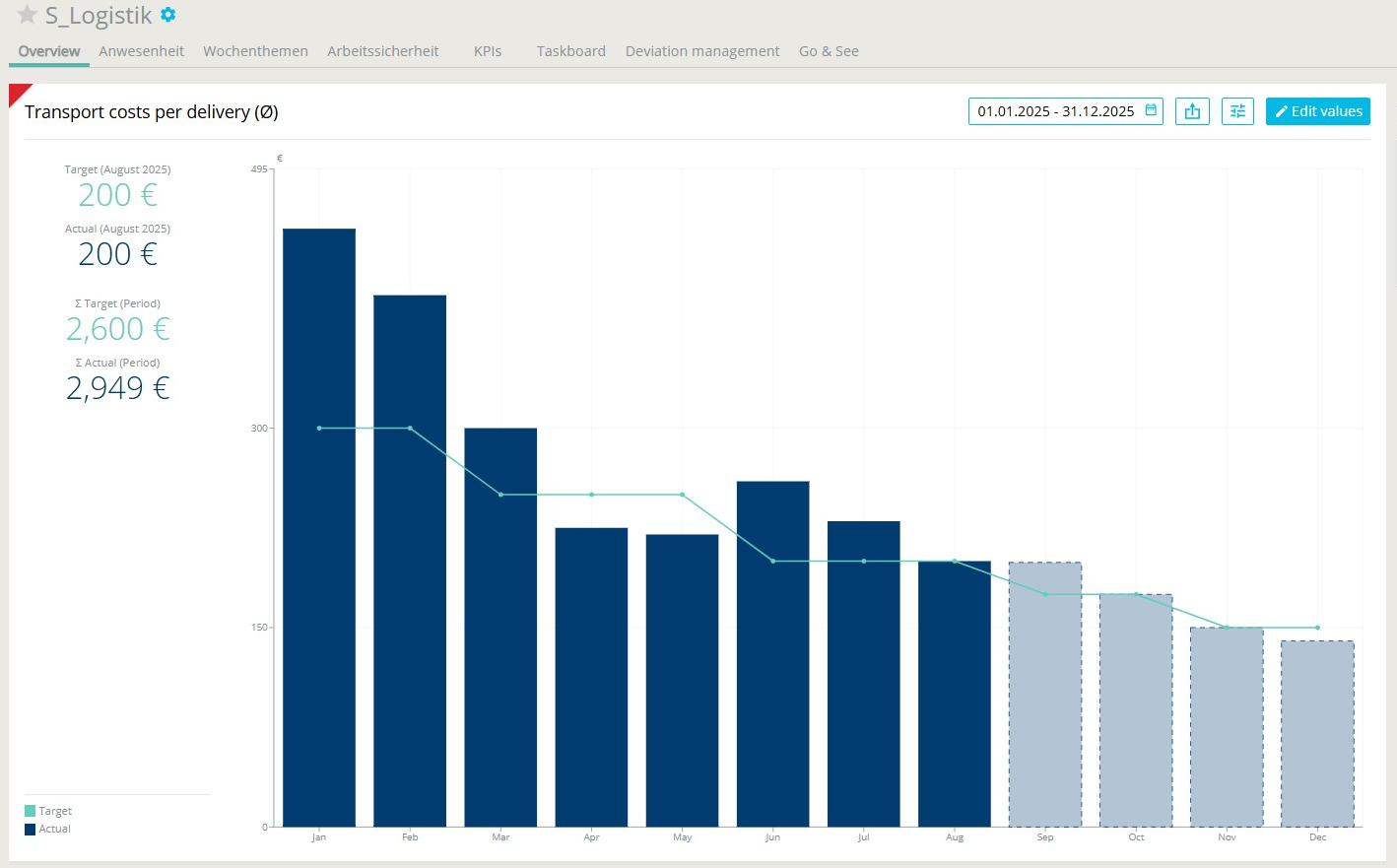
🛠️ How to Capture and Convert Forecasts
1. Capture Forecast
-
In the KPI entry dialog, forecast values can be entered for future periods
📸 Screenshot: Forecast value entered in the editing view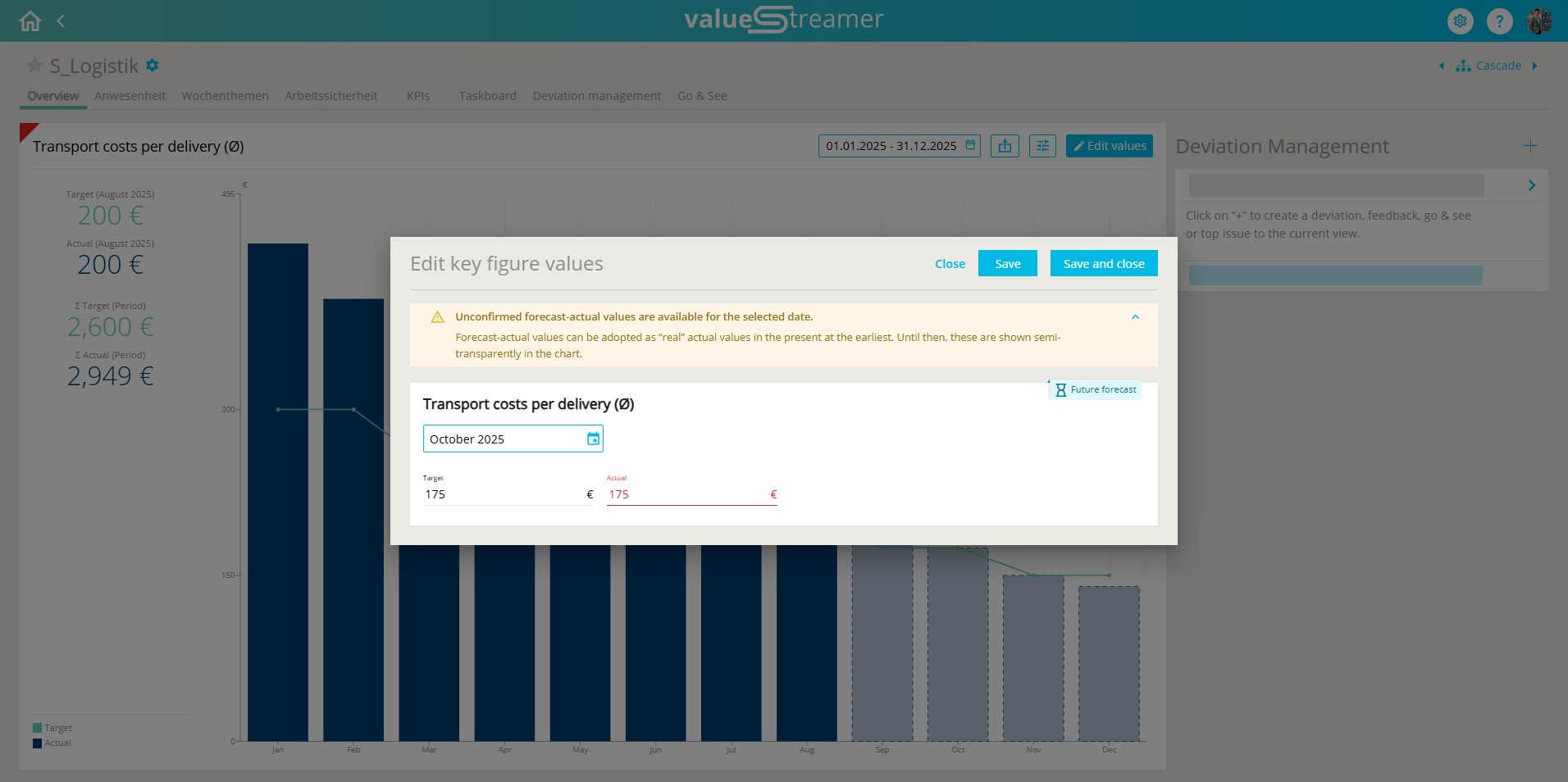
ℹ️ Note: Forecasts are only available for future calendar periods.
2. Visual Indicators in the Edit Dialog
-
Yellow – Forecast can now be converted
-
Blue – Forecast is still in the future and not yet convertible
3. Conversion Prompt During Save
When saving, the system automatically checks:
“Forecast value can be converted – do you want to adopt it as an actual value?”
Options:
-
✅ Yes, adopt → Forecast becomes actual
-
❌ No, just save → Forecast remains unchanged
📸 Screenshot: Forecast conversion dialog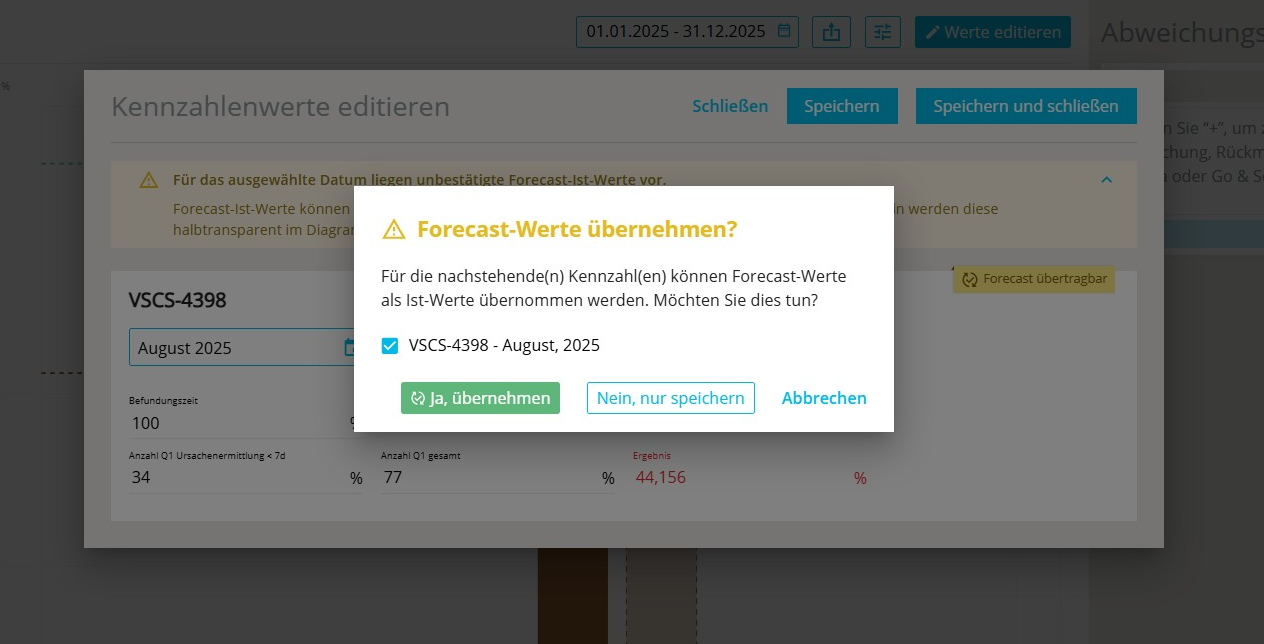
⚠️ Warning: Once converted, the forecast becomes a binding actual value – this action should be taken consciously.
📊 Visualization in the KPI Dashboard
In the dashboard, forecast values are displayed using distinct bar formats (e.g., dashed, lighter, transparent). This allows immediate visual differentiation between forecast and actual values.
✨ Tip: Use forecasts especially for KPIs with high control relevance – e.g., reject rate, production volume, delivery performance.
✨ Tips for Methodical Application
-
Introduce forecast check-ins in team routines (e.g., Shopfloor Meetings every Wednesday for the current week)
-
Regularly evaluate forecast accuracy: How reliable were our projections?
-
Document forecast changes for later analysis of planning uncertainty
-
Use forecasts as a trigger for action: “We already see that the goal is at risk – what are we doing about it?”
❓ FAQ
How do plan and forecast differ?
The plan is a fixed, typically annual, target. The forecast is dynamic and can be updated regularly.
What happens if I don’t convert a forecast?
It remains in place and appears as a forecast in the dashboard – not as an actual.
Is there a history of converted forecasts?
Currently (as of 2025), only the current value is stored. Forecast changes should be documented separately.